Contents
21.25. 案例:爬取起点中文网数据存到excel中
21.25.1. 思路
手动浏览,查看翻页的规律,找到翻页的标志字段

https://www.qidian.com/all?orderId=&style=1&pageSize=20&siteid=1&pubflag=0&hiddenField=0&page=1
https://www.qidian.com/all?orderId=&style=1&pageSize=20&siteid=1&pubflag=0&hiddenField=0&page=2
https://www.qidian.com/all?orderId=&style=1&pageSize=20&siteid=1&pubflag=0&hiddenField=0&page=3
每页20篇小说,爬取200篇小说存入列表,然后在依次写入excel表格中
#!/usr/bin/env python
#-*- coding:utf8 -*-
import requests
import time
from lxml import etree
import xlwt

all_info_list = []          #定义初始化列表,存入爬虫数据


def get_info(url):
    html = requests.get(url)
    selector = etree.HTML(html.text)
    infos = selector.xpath('//ul[@class="all-img-list cf"]/li')    #定义大标题,以此来循环
    for info in infos:
        title = info.xpath("div[2]/h4/a/text()")[0]
        author = info.xpath("div[2]/p[1]/a[1]/text()")[0]
        style_1 = info.xpath("div[2]/p[1]/a[2]/text()")[0]
        style_2 = info.xpath("div[2]/p[1]/a[3]/text()")[0]
        style = style_1 + '•' + style_2
        complete = info.xpath("div[2]/p[1]/span/text()")[0]
        introduce = info.xpath("div[2]/p[2]/text()")[0].strip()
        word = info.xpath("div[2]/p[3]/text()")[0].strip("万字")
        info_list = [title,author,style,complete,introduce,word]
        all_info_list.append(info_list)         #将数据存入列表
    time.sleep(0.5)                               #休眠1s


if __name__ == '__main__':
    urls = ["https://www.qidian.com/all?orderId=&style=1&pageSize=20&siteid=1&pubflag=0&hiddenField=0&page={}".format(str(i)) for i in range(1,10)]
    for url in urls:
        get_info(url)

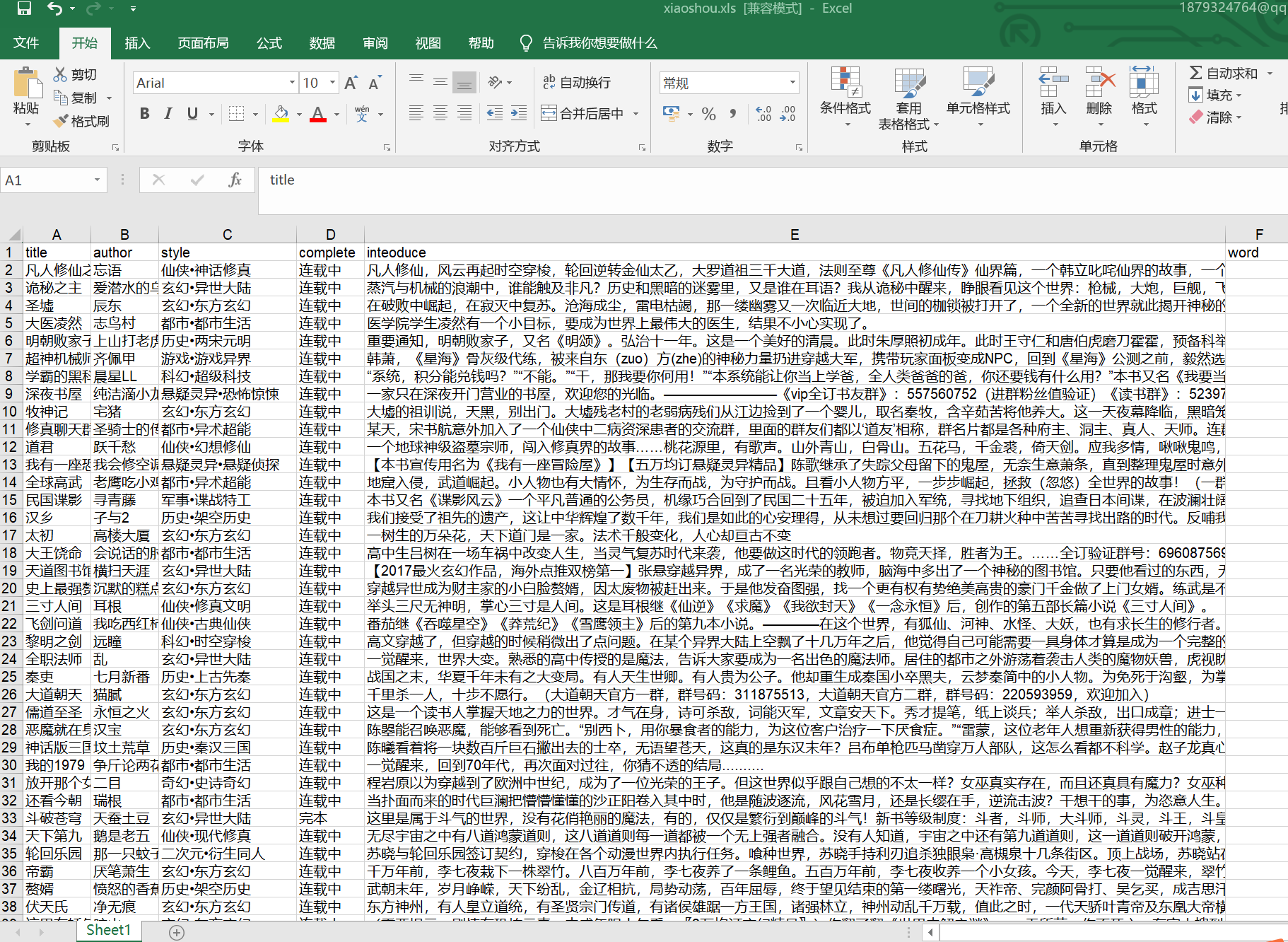
    header = ["title", "author", "style", "complete", "inteoduce", "word"]  #定义表头
    book = xlwt.Workbook(encoding="utf-8")      #创建工作簿
    sheet = book.add_sheet('Sheet1')            #创建工作表
    for h in range(len(header)):
        sheet.write(0, h, header[h])             #写入表头
    i = 1
    for list in all_info_list:
        j = 0
        for data in list:
            sheet.write(i, j, data)
            j +=1
        i +=1                       #写入爬虫数据

    book.save("xiaoshou.xls")
截图如下: