22.2.1. 文本设置
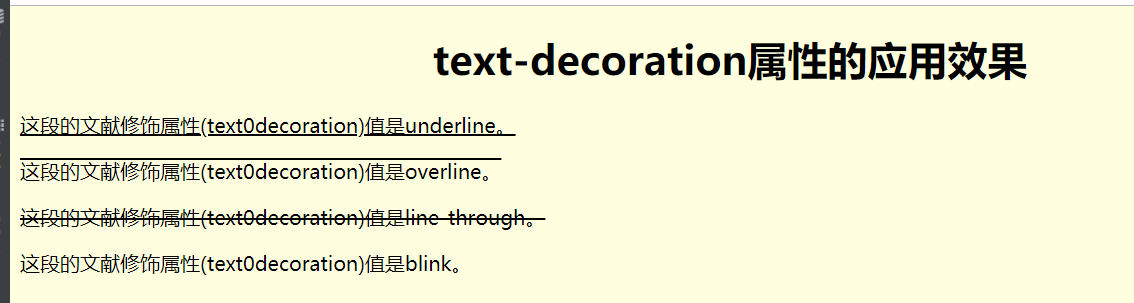
文本修饰属性
<!DOCTYPE html>
<html lang="en">
<head>
    <meta charset="UTF-8">
    <title>文本修饰属性</title>
</head>
<style type="text/css">

    #p1{
        /* 设置文本修饰属性 */
        text-decoration: underline;
    }

    #p2{
        text-decoration: overline;
    }
    #p3{
        text-decoration: line-through;
    }
    #p4{
        text-decoration: blink;
    }


</style>
<body bgcolor="#ffffe0">
<center>
    <h1>text-decoration属性的应用效果</h1>
</center>
<p id="p1">这段的文献修饰属性(text0decoration)值是underline。</p>
<p id="p2">这段的文献修饰属性(text0decoration)值是overline。</p>
<p id="p3">这段的文献修饰属性(text0decoration)值是line-through。</p>
<p id="p4">这段的文献修饰属性(text0decoration)值是blink。</p>
</body>
</html>
文字属性,对齐
<!DOCTYPE html>
<html lang="en">
<head>
    <meta charset="UTF-8">
    <title>text-align属性</title>
</head>
<style type="text/css">
    /* 居中对齐 */
    #h1{
        text-align: center;
    }

        /* 此为默认值 */
    #h2{
        text-align: left;
    }
        /* 此为右对齐 */
    #h3{
        text-align: right;
    }
</style>
<body>
<h1>text-align属性的应用效果</h1>
<p id="h1">此行文字居中对齐</p>
<p id="h2">此行文字左对齐</p>
<p id="h3">此行文字右对齐</p>

</body>
</html>

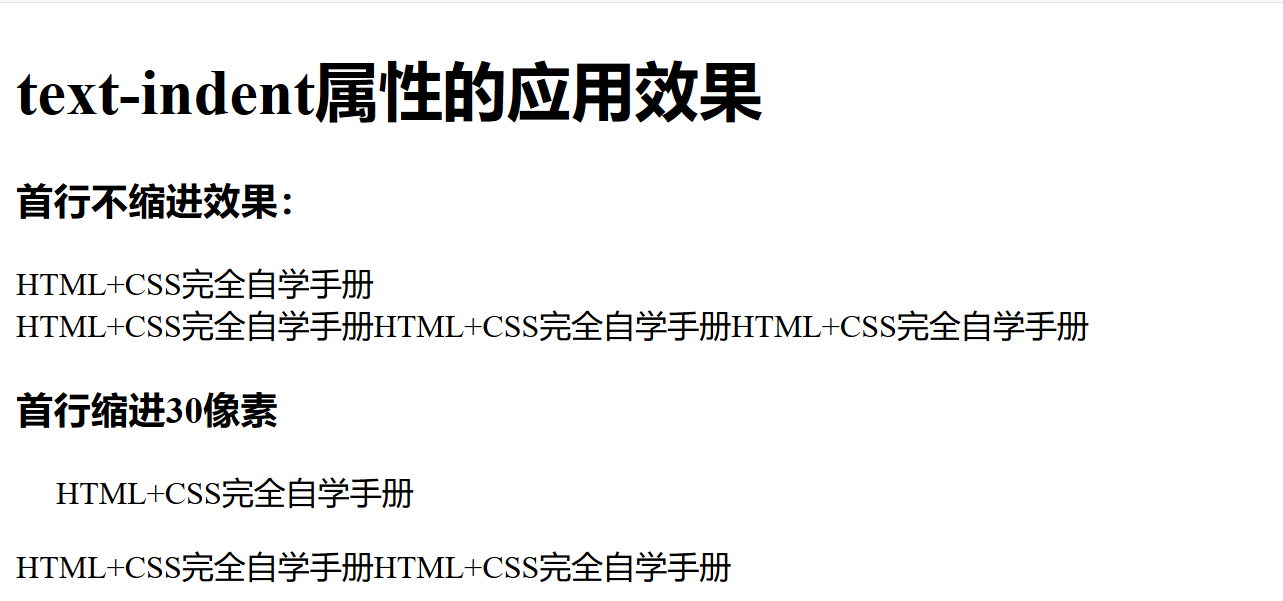
文本首行缩进
<!DOCTYPE html>
<html lang="en">
<head>
    <meta charset="UTF-8">
    <title>首行缩进</title>
    <style type="text/css">
        #indent1{
            text-indent: 20px;
        }
    </style>
</head>
<body>
<h1>text-indent属性的应用效果</h1>
<h3>首行不缩进效果:</h3>
<p>HTML+CSS完全自学手册<br>
HTML+CSS完全自学手册HTML+CSS完全自学手册HTML+CSS完全自学手册
<h3>首行缩进30像素</h3>
<p id="indent1">HTML+CSS完全自学手册</p>
HTML+CSS完全自学手册HTML+CSS完全自学手册
</body>
</html>